
You know the blocker but not the right page order.
This page is best when you need a short chain like survival, materials, depth timing, base setup, or co-op planning.
Guides desk
Use this hub when you do not need more articles, you need the next useful answer. Start from the blocker, follow one short route, and move into the next survival or progression step without guessing.
Open the Guides Hub when you know the blocker or save stage but still need the right page order. If you already know the exact topic name, use the Guide Library. If you need a task helper or checklist first, use Tools. If a patch may have changed the advice, check News before reopening older routes.
Use This Page When
This page is best when you need a short chain like survival, materials, depth timing, base setup, or co-op planning.
If you want a searchable archive, use the full library. If you need one material or one route filter, use the dedicated hub.
The goal is fewer open tabs and cleaner next steps, not more browsing. One solved blocker should usually end the visit.
Guide Desk Structure
This makes the Guides Hub behave like a normal operated section: current readers get a guided route, search users get the library, and returning players can check whether older advice still applies.
| Area | Use it for | Do not use it for | Handoff |
|---|---|---|---|
| Guides Hub | Choosing the right reading order by blocker or save stage. | Looking up every topic alphabetically. | Library |
| Category lanes | Staying inside one player problem such as beginner survival, routes, resources, crafting, vehicles, or co-op. | Mixing unrelated blockers into one long browsing session. | Category pages |
| Topic centers | Going deeper on materials, base building, vehicles, creatures, and co-op after the lane is known. | Replacing the first-step diagnosis on the homepage. | Database shelves |
| Updates | Checking whether route, resource, base, or co-op advice needs a freshness review. | Serving as the main beginner route. | News tracker |
Coverage snapshot
These lane totals show how the guide library is distributed right now. The point is not equal volume. The point is enough depth in each lane that a player can find one practical answer without opening a generic article wall.
First hour, early survival, and calm opening routes.
Materials, farming loops, and the next useful batch.
Route safety, landmarks, depth timing, and return rules.
Base order, build timing, storage, and utility unlocks.
Upgrade order, travel range, and build support.
Host rules, shared progress, role split, and patch-sensitive notes.
Topic centers
These topic centers widen the site beyond categories by giving materials, base flow, vehicles, and creature danger their own desks.
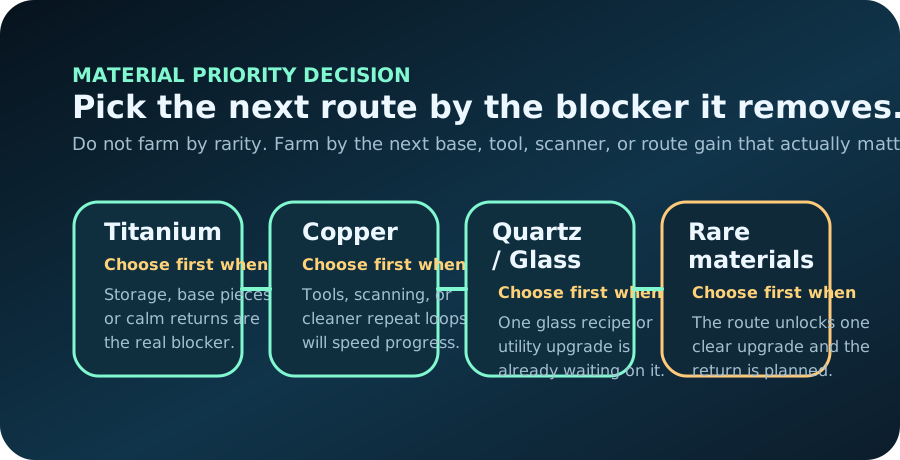
Use this when one named material or rare route decision is controlling the whole next session.
Use this when location, build order, storage, and power are more important than another survival article.
Use this when travel range, depth support, or upgrade timing matter more than raw material count.
Use this when threat pressure, danger zones, or safer route reads are what actually keeps ending the run.
Real gameplay reads
Players usually recognize the situation before they remember the article name. Use these real in-game moments to choose the right guide lane faster and avoid opening five tabs for one blocker.

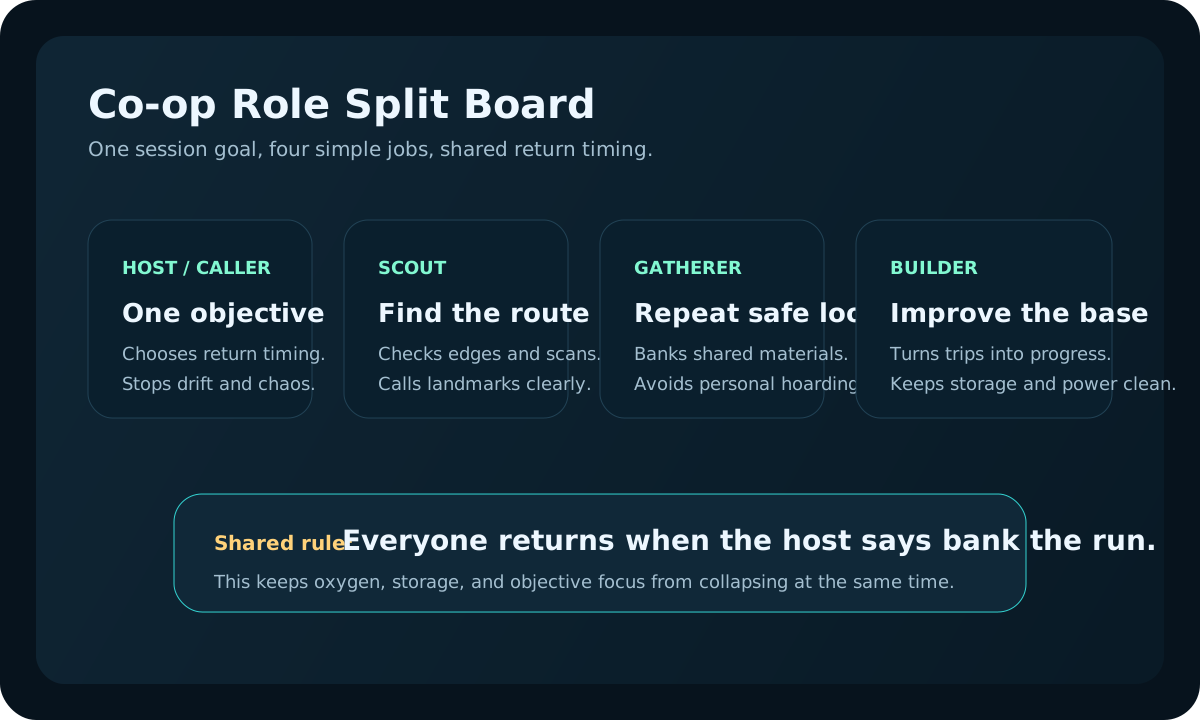
Open the co-op lane first when role split, host rules, or shared progress confusion is wasting the run.
Open co-op progression guide
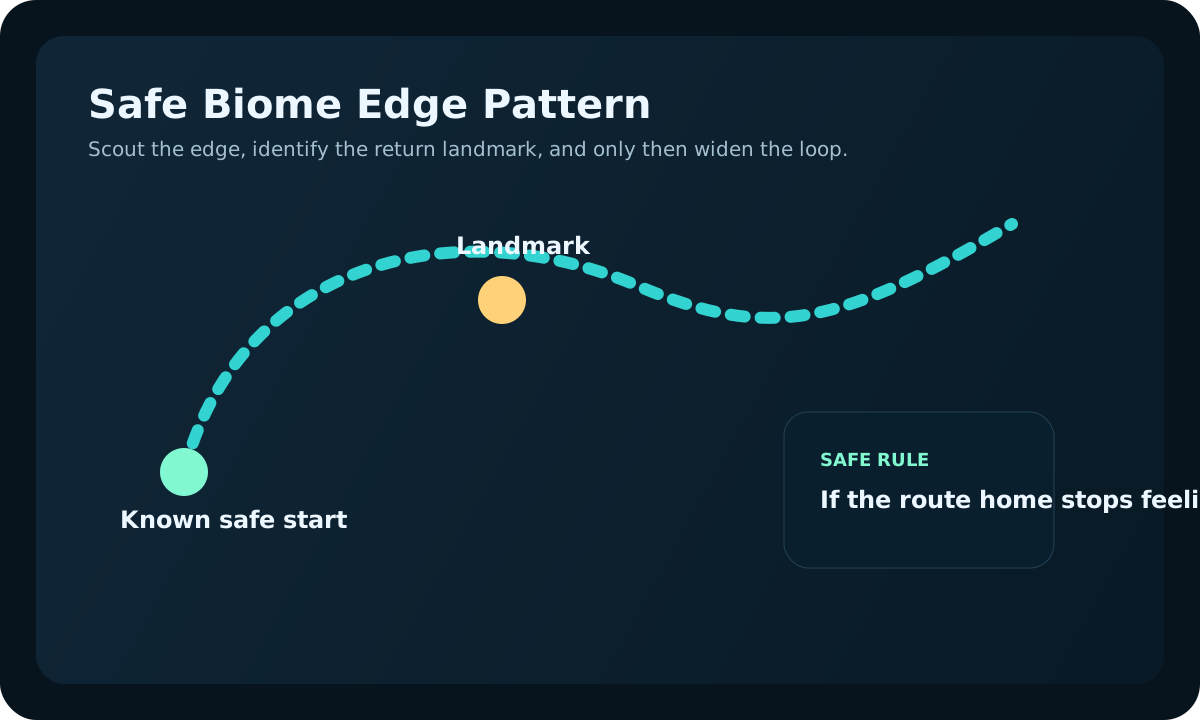
Switch into biome and route pages when the blocker is map reading, return timing, or danger edge control.
Open safe biomes guide
Use danger, depth, and turn-back guides before repeating a run that already is telling you it is too early.
Open dangerous zones guideDepth signals
Patch return path
If you already know the game changed, do not reopen guides at random. Start with the parts most likely to break, then move back to broader evergreen advice.
If landmarks, creature pressure, visibility, or return paths feel different, review route risk before replaying old advice.
If farming loops, scan value, or recipe pressure no longer match the old guide, recheck the material lane first.
If scanner timing, storage value, power stability, or vehicle priorities feel different, audit systems before rebuilding.
If session ownership, shared progress, or team role flow changed, confirm co-op rules before the next group run.
Fresh problem-solving guides
These additions are written around common player situations that often get lost inside broad category pages: first-session mistakes, second-session planning, safe material loops, first-base cleanup, update rechecks, co-op base roles, and upgrade readiness before deeper routes.
Use this when the first sessions feel busy but still do not create cleaner progress.
Use this when the save survived the first login, but the next session still needs one cleaner direction.
Use this when material runs need one target, one return rule, and less inventory clutter.
Use this when the first base exists, but storage, power, and return flow still are wasting time.
Use this when Early Access changes may affect routes, resources, bases, or co-op rules.
Use this when a team keeps returning with random materials and no shared base plan.
Use this when you need to choose oxygen, storage, base power, scanner help, or vehicle progress.
Recent guide desk changes
The top navigation now matches the rest of the site, the archive role is stated more clearly, and topic-center starts are easier to find before readers fall into the full guide list.
Returning players can now tell whether they should start from save stage, a named blocker, or a patch-safety check before opening broader guide lanes.
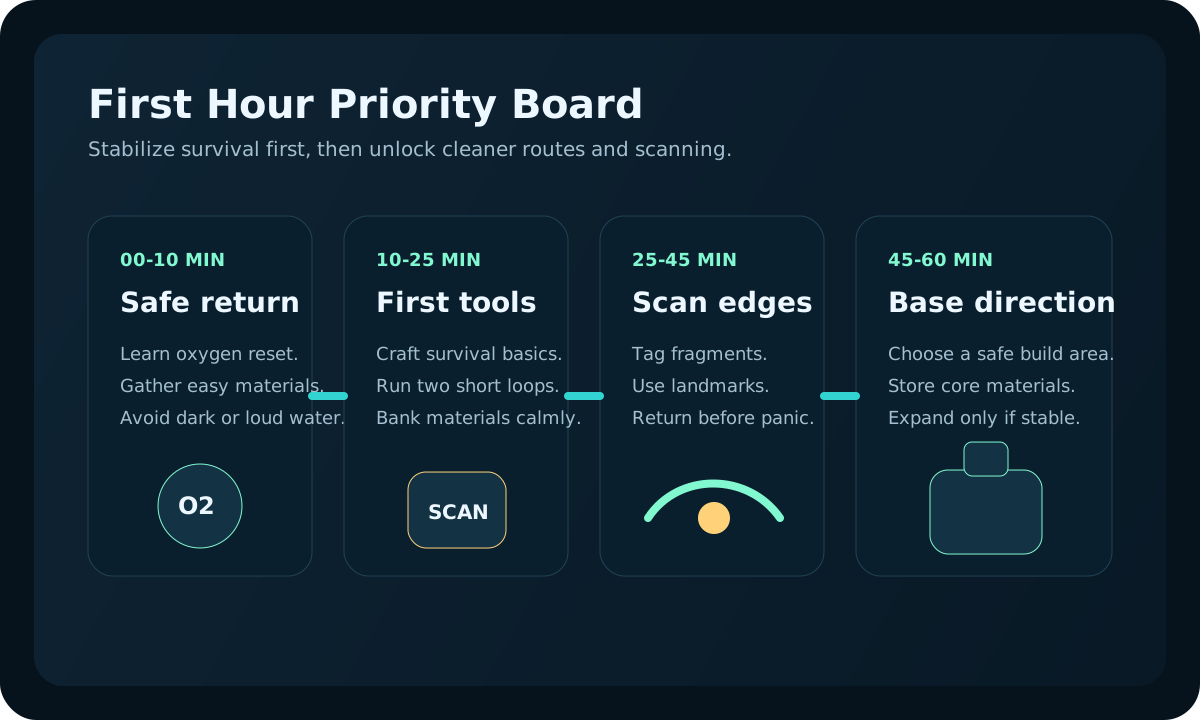
First-hour, resource, route, base, scanner, and co-op pages now use more topic-specific diagrams so the desk feels less repetitive and easier to scan.
Stage shortcuts
Not every player arrives with a named blocker. Sometimes you only know whether the save is still fragile, ready for a base, or trying to push deeper. Start there, then narrow the problem after one page.
Stay in opening survival until oxygen, water, food, and one short route stop interrupting every run.
Give the save one plan, one useful craft, and one stable route before browsing wider.
Choose location, build order, and layout only if the base will shorten the next routes right away.
Test whether depth is truly the next step before opening a harder lane that the current route still cannot support.
Clarify host rules, shared progress, and role split before trying to scale the next route with the same confusion.
Problem shortcuts
If you already know what feels wrong, jump straight into the small route that fixes that problem instead of opening random pages.
Route choice matrix
Use this matrix when you know the pain point but not the right page order. It helps you start with the smallest route that fixes the current blocker.
Fix the immediate survival loop before pushing map distance or crafting goals.
Switch paths when supplies stop interrupting every route.Name the exact craft, farm only the required batch, then convert it into a tool or base upgrade.
Switch paths when storage, scanner coverage, or route safety becomes the real blocker.Build a repeatable route around landmarks, biome edges, danger signs, and return rules.
Switch paths when the route is safe enough but collecting or base logistics slow you down.Prioritize a practical location, simple power, storage flow, and scanner value before cosmetic layout.
Switch paths when the base supports repeatable routes and the next blocker is upgrade cost.Choose upgrades by the friction they remove, not by completion order.
Switch paths when the upgrade plan depends on rare materials or a deeper route.Clarify host rules, shared progress, role ownership, and what everyone deposits before crafting.
Switch paths when the team has roles but needs a resource or base plan.Visual guides
Some answers are faster to use when they come with a clear diagram, but the rest are better as text links. Start here if you want the visual version first and fewer pictures overall.
Curated lane desk
This is the short version of the archive. Pick the lane that matches the blocker, open one featured page, and switch only after that blocker is truly solved.
For first-hour pressure, messy priorities, and runs that still collapse before the route pays off.
For picking the next farm loop, judging rare-run risk, or turning materials into a useful upgrade.
For safe scouting, landmark use, turn-back calls, and deciding whether deeper water is actually worth it now.
For first-base timing, vehicle versus base tradeoffs, scanner decisions, hosting rules, and job split cleanup.