Last reviewed August 17, 2026Patch sensitivity Medium
Scanner advice can change if scan range, speed, power cost, or
material density is adjusted in a patch.
Quick answer
The best Scanner Room upgrades are the ones that save time on
the materials players actually need right now. Upgrade order
should be tied to practical routes, current progression, and
the next bottleneck worth scanning.
Page media
Use system priority before you spend the scanner upgrade batch.
Upgrade order is easiest to trust when scanner value is checked
against storage, power, reach, and the route that actually needs help.
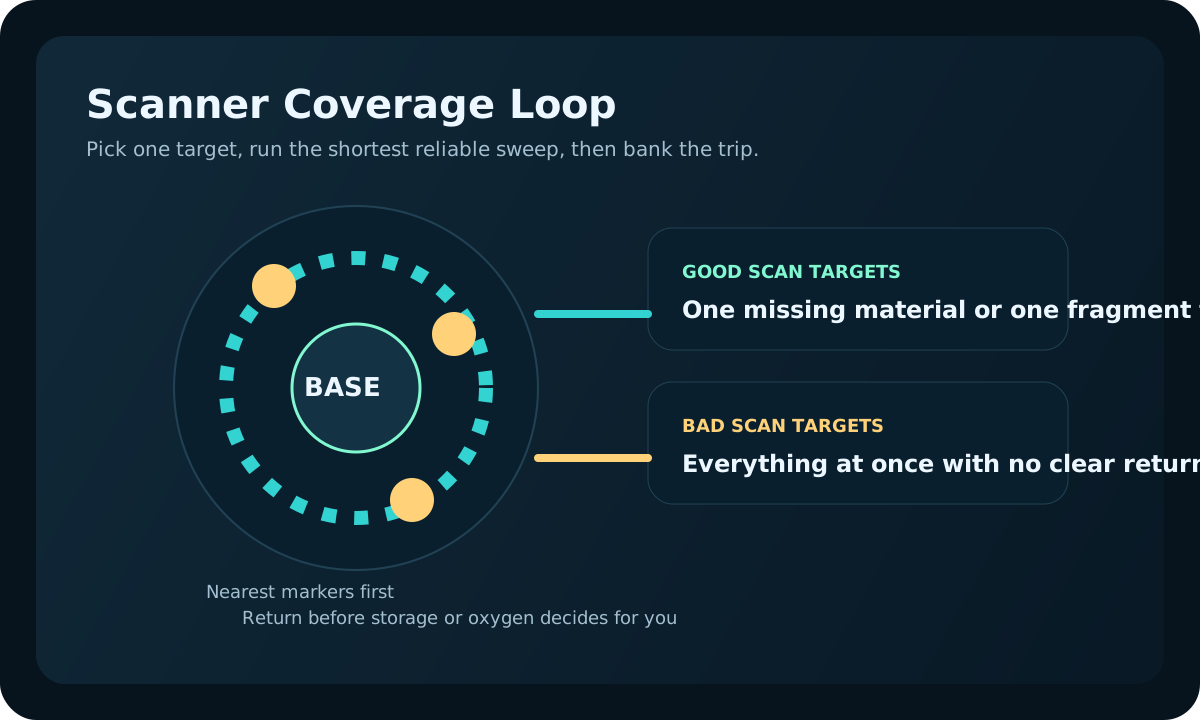
Scanner upgrades work best when they support a repeatable route,
not when they are used to compensate for a temporary base or
unclear material plan.
Range helps only after route discipline.
Upgrade range when the target is just outside a safe loop, not when the base location itself is still questionable.
Power and materials still come first.
Scanner speed is valuable only if the base can keep crafting, storage, and power stable during repeated searches.
Scanner upgrade comparison table
Use this quick table before spending materials. The best upgrade
is the one that fixes the current route bottleneck.
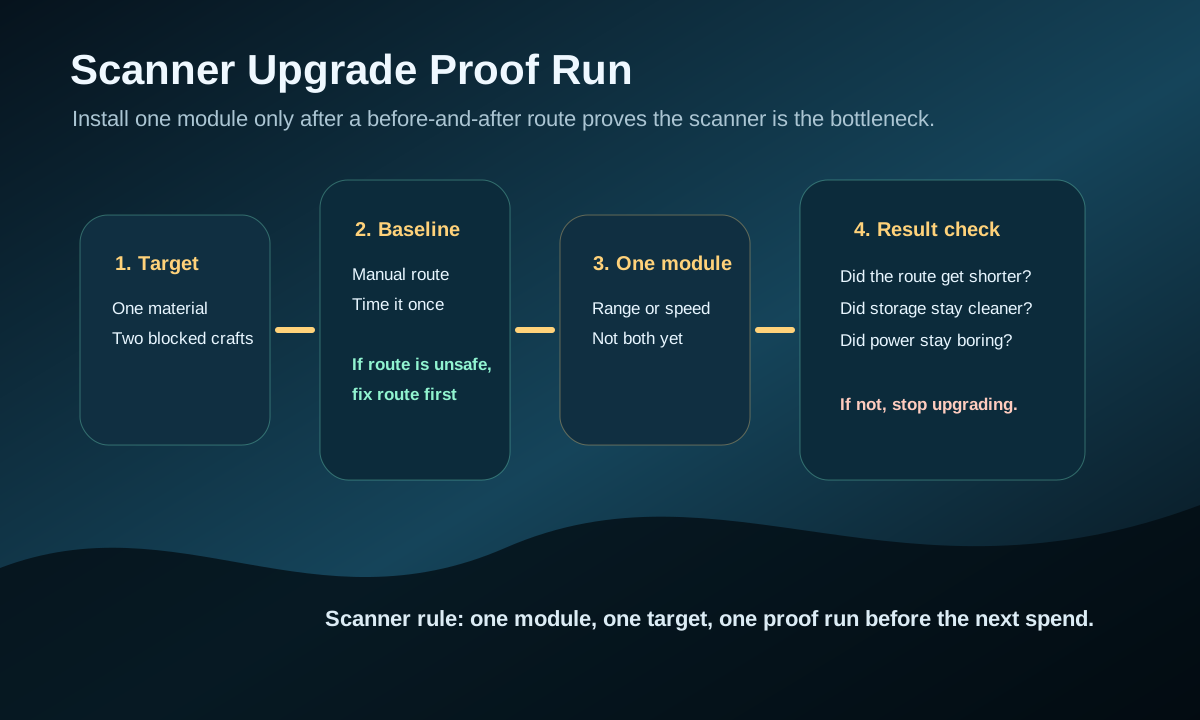
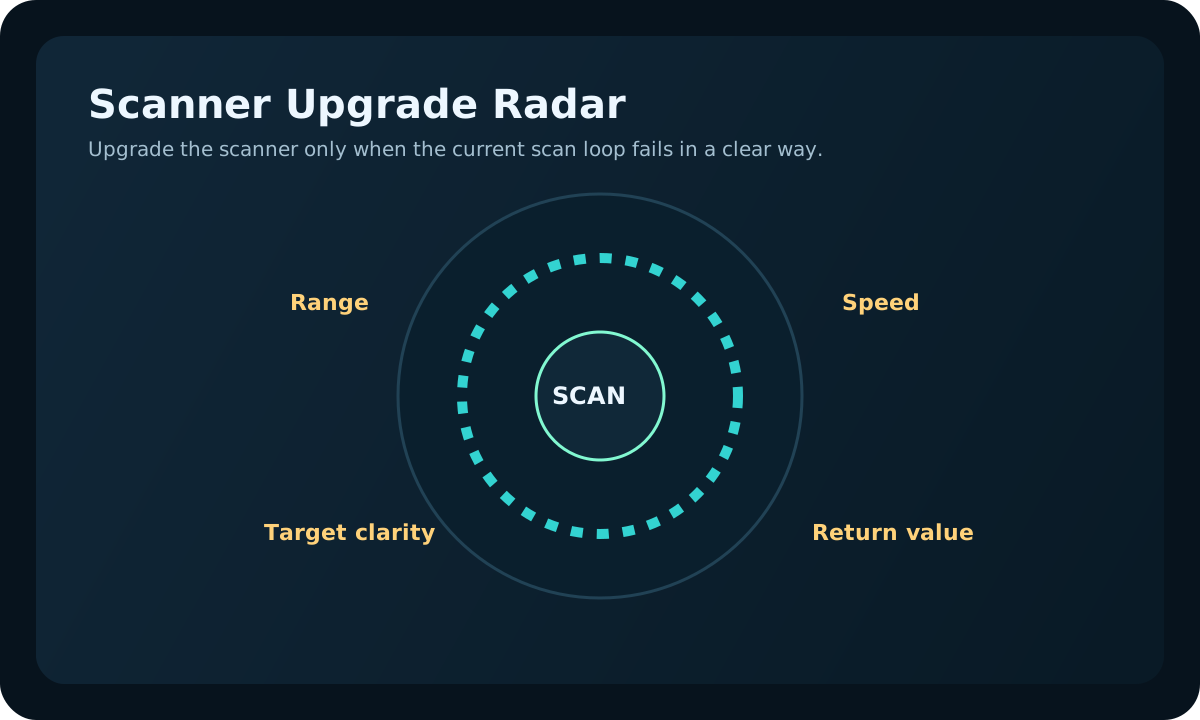
Prove the upgrade with one target and one before-and-after route. If the route does not improve, the scanner was not the blocker.Upgrade only when the current scan loop fails in a clear way: range, speed, target clarity, or return value.
Problem
Upgrade focus
Use when
Delay when
Targets are just outside the safe loop
Range
The route is safe but the scan area is too small.
The base location is temporary or poorly powered.
Targets are common but slow to reveal
Speed
Repeated resource runs are waiting on scan time.
You still need storage, oxygen, or power first.
The scanner drains base reliability
Power support
Crafting or scanning feels unreliable during normal use.
The scanner is not solving a specific material problem.
Players gather randomly in co-op
Target discipline
The team needs one visible material goal.
Everyone already has a clear route and storage plan.
Upgrade priority route
Upgrade range when the material you need is just outside your
safe base loop and manual scouting keeps wasting time.
Upgrade speed when the scan target is common but waiting is
slowing repeated routes or co-op gathering.
Improve power support before stacking upgrades that make the
base unreliable during normal crafting and storage work.
Stop upgrading the scanner when the bottleneck becomes oxygen,
storage, route safety, or a missing blueprint instead.
Upgrade order if only one scanner improvement fits right now
Treat the first Scanner Room upgrade like a route tool, not a
collection item. Pick the module that shortens the next repeated
trip; delay anything that only makes the room look more complete.
Pick this priority
When it solves the problem
Delay it when
Range first
The target material sits just beyond the safe route you already repeat.
You still cannot return reliably from the current route.
Speed second
The scanner already reaches the right target, but waiting breaks the gathering rhythm.
The target list is wrong, the base is underpowered, or storage is still chaotic.
Power/base support before more modules
The room helps, but normal crafting or charging becomes unreliable while scanning.
The current scanner setup already saves a trip without stressing the base.
No scanner upgrade yet
The next blocker is oxygen, a blueprint, storage discipline, or route safety.
You can name one repeated material run the scanner would immediately improve.
Use this first scan upgrade test
Spend one short session proving the upgrade will save route time
before stacking more modules onto the same room.
Test step
Do this
Stop when
Good result
Pick one material
Choose the one resource that is delaying two or more useful crafts.
You are upgrading for vague convenience instead of a named blocker.
The module has one clear job the moment it is installed.
Run one comparison
Compare one route before and after the upgrade instead of guessing its value.
The route is still limited by oxygen, danger, or storage rather than scan quality.
You can feel a cleaner search loop immediately.
Check base strain
Use the scanner during normal crafting and return flow.
The upgrade makes the rest of the base less reliable than manual scouting.
The room helps without creating a second system problem.
Upgrade only when it solves this
The same missing material blocks multiple useful crafts.
Manual scouting takes longer than the upgrade cost is worth.
The current scan area no longer reaches the route you repeat.
Co-op players need clearer targets instead of more random gathering.
Do not upgrade just because you can
Skip the upgrade if the scanner is not already solving a real bottleneck.
Pause upgrades when power, storage, or oxygen are the real reason the run feels slow.
Upgrade only when the next module clearly improves one route you already repeat.
Upgrade in this order when unsure
Fix range first if the target sits just outside a safe route you already trust.
Fix speed next only when the scanner is already aimed at the correct material problem.
Pause every other upgrade if power reliability starts getting worse than manual gathering.
What usually ruins scanner upgrades
Players install modules before deciding which repeated route the scanner should improve.
The base is underpowered, so every new scanner upgrade makes the whole hub feel worse.
Co-op teams read the scanner, but still return with random materials instead of one target batch.
The room is solving for curiosity while the real blocker is still oxygen, storage, or a missing blueprint.
Signs the scanner is not the real blocker
You already know where the material is, but the route remains dangerous or too long.
The next delay happens at base sorting, crafting, or power rather than in the search phase.
The upgrade would be for occasional use instead of a route you repeat every session.
Players are still missing the right blueprint, so scan speed does not change progression yet.
After installing one module
Do not stack another module until the first one proves itself.
The upgrade should change a real route, not just make the room
feel more complete.
Post-upgrade result
What it means
Next action
Do not
Target route became shorter
The upgrade solved the intended bottleneck.
Repeat once, then consider the next module.
Change targets before proving repeat value.
Targets appear, but returns are still messy
Storage or route discipline is now the blocker.
Fix drop-off flow before adding scan power.
Use more range to cover a bad route.
Base power feels fragile
The scanner is outrunning the base support layer.
Stabilize power before another module.
Stack speed and range onto weak power.
Co-op still returns random materials
The team needs target discipline, not more modules.
Assign one scan target and one drop-off rule.
Let every player chase a different ping.
Upgrade only after the scanner proves it saves a trip
A Scanner Room upgrade is valuable when it removes repeated
uncertainty, not when it merely feels like a new toy. If you
already know where the material is, more scanner power may not
change the next run. If the missing material keeps costing ten
minutes of roaming, the right upgrade can turn guesswork into a
repeatable route.
After installing the first module, do one controlled comparison:
run the same target before and after the upgrade, then ask
whether the return was faster, safer, or easier to explain to a
co-op partner. If the answer is not clear, the next investment
probably belongs in storage, power, route marking, or the craft
that the scanner was supposed to support.
July 31 scanner-upgrade review note
This page was rechecked around a controlled comparison: upgrade
only after one scanner route proves that range, speed, or target
clarity would save a real trip.
Upgrade range only when the target is useful but sits outside a safe repeat route.
Upgrade speed only when the target already pays back and waiting is the repeated delay.
Fix storage, base power, or route discipline first if the scanner already finds more than the base can use.
Upgrade the scanner only when information is the bottleneck.
Scanner upgrades are easy to overbuy because they feel productive.
The useful question is narrower: will better scanning remove a
repeated search problem, or is the real blocker travel range,
storage, or power?
Leave this page once the scanner's job is defined. If the upgrade
would only make an unfocused search larger, solve the route or base
power issue first.