- Use FAQ for the fastest navigation question.
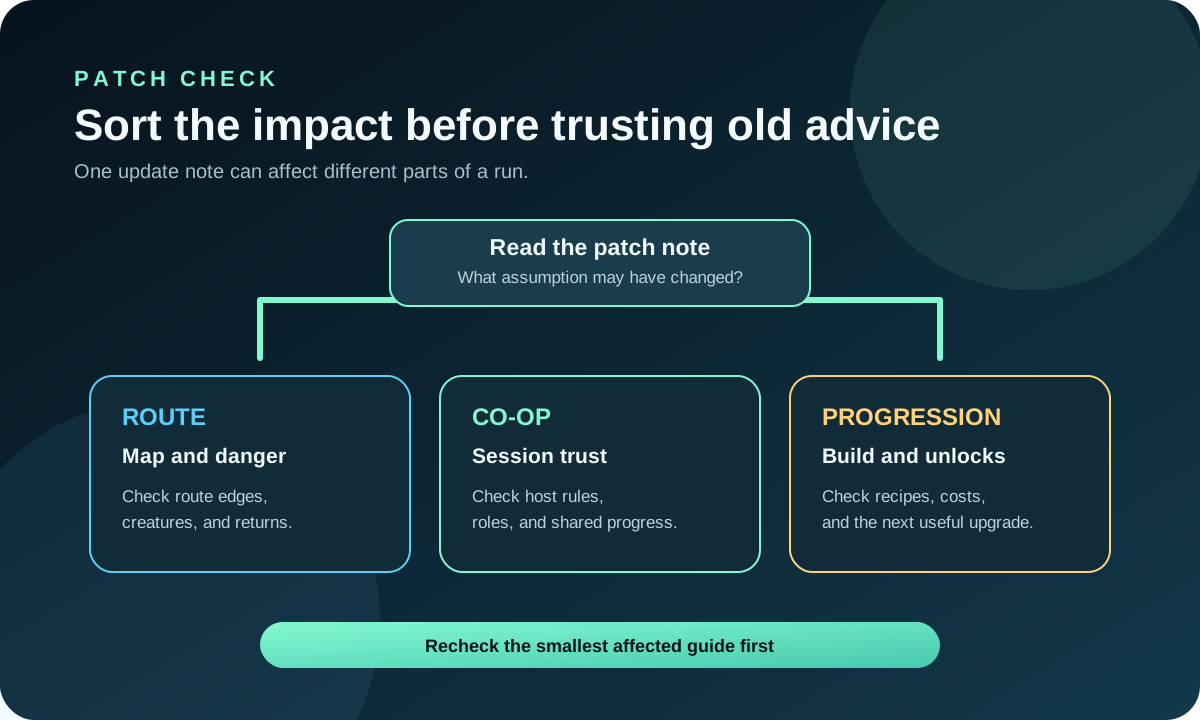
- Use Updates when a patch may have changed the answer.
- Use Contact or Reader Reports when one page needs a direct fix.
Family room
Use this room when something feels wrong, stale, or mismatched.
Troubleshooting helps when a page looks outdated, a link feels wrong, or the site needs a correction path. It keeps support work separate from gameplay advice.
Use this page when the problem is about the site or freshness, not a play blocker
If you just need a quick answer, open FAQ / Help. If the page is old after a patch, start with News. To report a mismatch, use Contact or Reader Reports.
Support lanes
Support pages work best when they answer one type of problem each.
FAQOpen the fastest help pathUse this when the question is simple and should not need a long support page.
UpdatesCheck whether a patch changed the answerUse this when the guide may be stale but the page itself is still fine.
CorrectionsSend a concrete mismatch reportUse this when one page needs a direct fix or a proof screenshot.
Troubleshooting map
Match the issue to the shortest support path.
| Problem | Open this | Why it helps |
|---|---|---|
| I need a fast answer | FAQ / Help | It keeps quick navigation and freshness questions simple. |
| A guide looks stale | News | It shows what recently changed and which pages deserve a recheck. |
| A detail needs correction | Contact | It is the fastest path for one URL, one issue, and one proof note. |
| I want to see public maintenance | Reader Reports | It shows how corrections and feedback turn into visible updates. |
Support help
What this support hub should solve before the reader leaves.
Troubleshooting is for the site layer: stale guidance, broken links, mismatched images, or unclear support paths. The best version of this page should help readers fix the site without pretending it is a gameplay walkthrough.
- Submitting a bug report without the page URL.
- Mixing gameplay questions with site correction requests.
- Reporting a stale answer before checking the update tracker.
- Open Contact for a correction.
- Open Reader Reports for public maintenance context.
- Open Editorial Policy if you need to judge how the site is maintained.
Troubleshooting depth
What this support room should solve before a reader gives up.
Troubleshooting should help when the site feels stale, broken, or mismatched. It is not a gameplay guide replacement; it is the shortest route to the right help path.
- Use FAQ for the fastest site question.
- Use Updates when a patch may have changed the answer.
- Use Contact or Reader Reports when one page needs a direct fix.
- Submitting a site report without the page URL.
- Mixing gameplay questions with site correction requests.
- Checking the wrong room first when the problem is really freshness or maintenance.
- Open FAQ / Help for short answers.
- Open Reader Reports for the maintenance trail.
- Open Contact for a direct correction.
Fast triage
What to check before you treat a support problem like a bigger site issue.
Many support complaints are really freshness, routing, or missing-context problems. A short triage step can tell you whether the page is broken, the advice is stale, or the reader just opened the wrong room.
Troubleshooting filter
Decide whether the fix is layout, freshness, or a missing page.
The room should make the problem smaller. If it still feels vague after the first check, the next step is a direct report or the page directory, not another loop through the same support text.
Layout issue
The page looks wrong or hard to read.
Freshness issue
The answer changed after a patch.
Missing page
The site needs a new room instead of a small edit.
Unique answer
Troubleshooting is for site problems, not gameplay uncertainty.
This page prevents support content from blending into gameplay guides. Use it when the page itself is stale, confusing, broken, or missing a clear next step. If the player is simply unsure what to do in-game, the answer belongs in Beginner, Progress, Map, or Tools.
Report stale advice
Use Reader Reports when a patch, route, or value judgment may have changed.
Report layout issues
Use Contact when a page is hard to read, has wrong links, or needs a practical correction.
Leave for gameplay
Use the guide hubs when the issue is the save, not the website.
This boundary matters for quality: gameplay uncertainty should get a gameplay answer, while site problems should create a correction, report, or maintenance task.
A helpful troubleshooting page should leave behind either a fixed reading path or a clear report, not another vague support loop.
That is why it links to report, correction, and update paths.