The team has players ready to go, but nobody agrees whose world should matter most after tonight.
Co-op guide
How hosting works in Subnautica 2 co-op
Hosting is not just a technical setting. It decides whose world continues, when sessions can happen, and whether the whole team can build consistent progress without wasting nights.
Last reviewed August 17, 2026
Patch sensitivity High
Hosting rules are especially update-sensitive because save ownership, session availability, and multiplayer behavior can change between builds.
One reliable host, one shared objective, and one session end point the whole group respects.
Quick answer
Pick the host like the whole group depends on that player being available. Even when systems change, a stable host, clear session plan, and shared storage rules prevent wasted co-op time.
Page media
Open these before the co-op night turns into world-confusion and duplicated work.
This stack keeps hosting practical: one co-op progression check, one save-sharing page, and one role-split follow-up for the first session.

Progression
Co-op progression guide
Open this first when hosting questions are really about shared blockers, session ownership, and the next team goal.

Save ownership
Is progress shared in co-op?
Open this next when the group still is unclear what belongs to the host world and what teammates can expect to keep.

Role split
How should co-op players split roles early?
If the host is decided but the session still feels messy, assign jobs before everyone does everything.
Host choice table
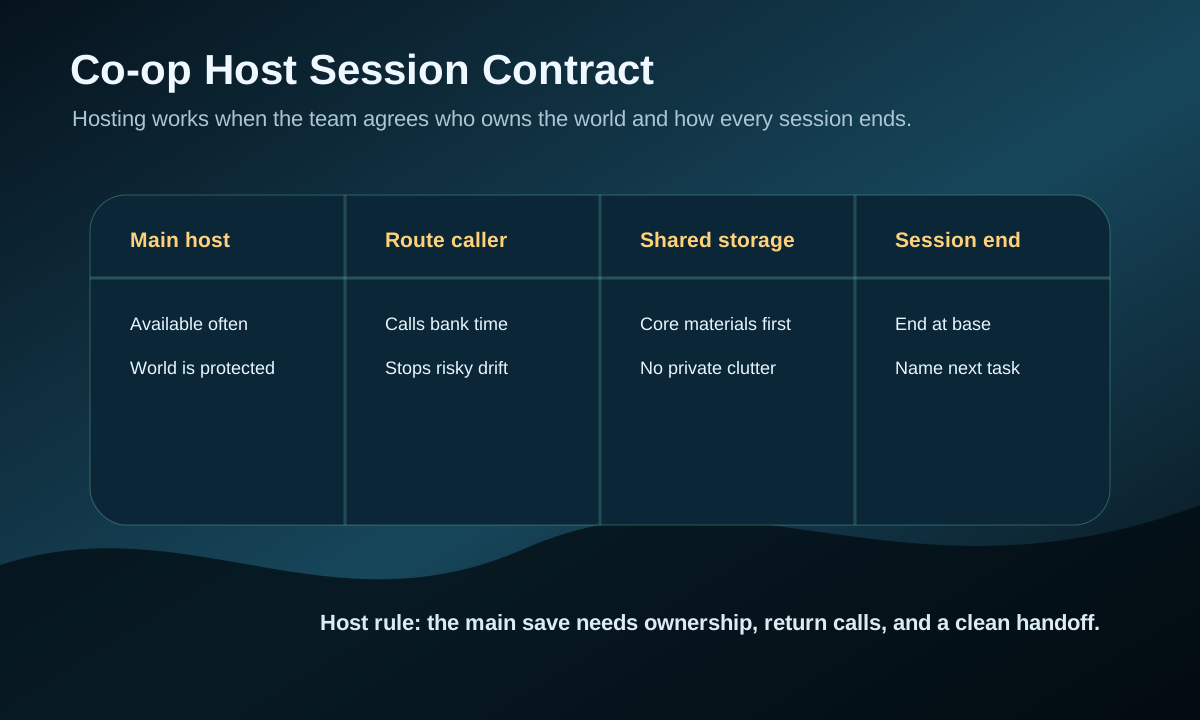
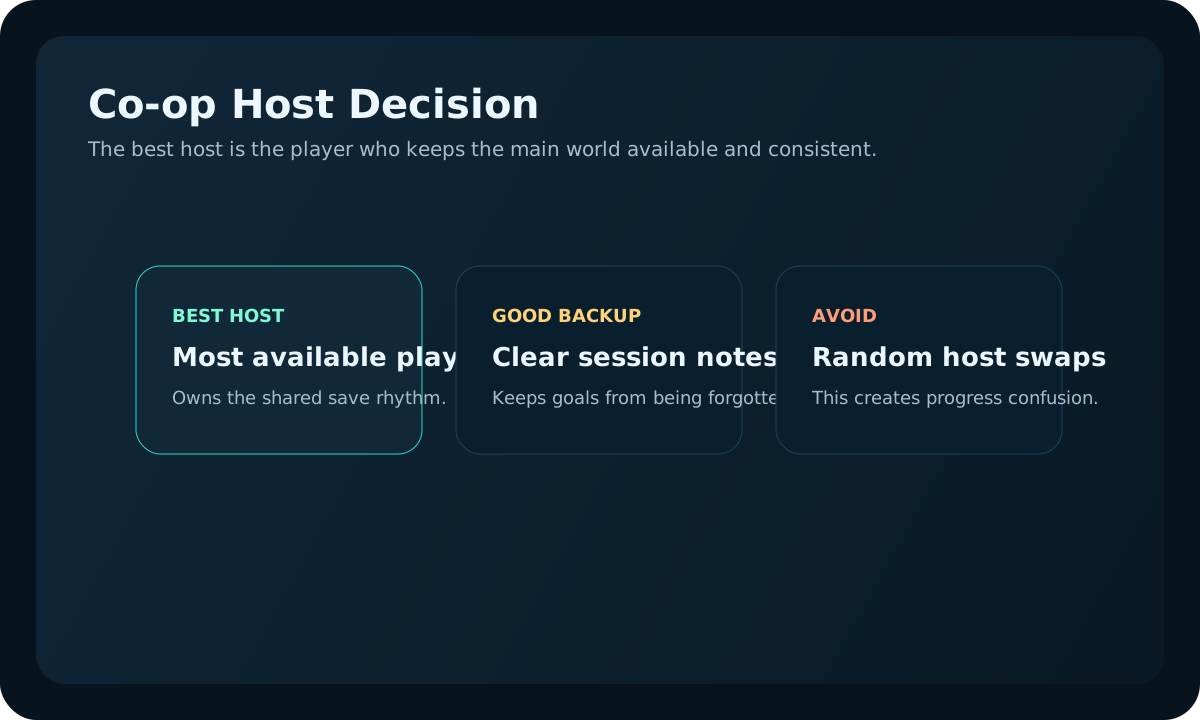
Pick the host before serious building or scanning begins. A good host choice prevents most co-op progress friction.
| Factor | Best host signal | Risk signal | Team decision |
|---|---|---|---|
| Availability | Player is online for most planned sessions. | Host often cannot join when others want to play. | Use a different main host or separate casual save. |
| Session control | Host can call returns and session end points clearly. | Team keeps pushing routes with full inventory. | Assign a route caller even if host is quiet. |
| World decisions | Host tracks base location, storage, and shared goals. | Players build in different directions without agreement. | Set one objective before leaving base. |
| Update risk | Host can check changes before the next session. | Team returns after a patch with no shared plan. | Review updates before changing routes or bases. |
Real gameplay checkpoints
Most hosting problems are not connection problems. They are progress problems wearing a co-op label.
These are the three situations that usually tell you whether the host choice is actually helping the save survive between sessions.

The team is moving together and the host is clearly controlling session rhythm.
This is the healthy pattern. The world feels shared because the group knows when to push, bank, and stop.
Open co-op progression
The save is active, but nobody is really calling when the route should end.
If co-op keeps collapsing during risky pushes, fix session control before assuming the team needs better gear.
Open role split guide
The world is advancing, but only because one main host save is being protected properly.
Keep the main world sacred when the team wants a shared long run. Casual experiments belong in a separate save.
Open shared-progress guideHow to choose the host
- Choose the player most likely to be online for the main run, not the player with the fastest early start.
- Let the host control major world decisions: base location, session end timing, and whether risky routes are worth pushing.
- Agree before the first trip where shared materials go and which upgrades the team is saving for.
- If the host cannot play often, keep that save for casual sessions and start a separate main progression world.
Before starting a co-op session
- Confirm who is hosting before anyone starts building or scanning seriously.
- Set one shared objective for the session: base, tools, vehicle, or route scouting.
- Agree when the team will return and deposit materials.
- End the session at base with storage sorted so the next start is clean.
First co-op session flow
- Spend the opening minutes confirming the host, shared storage spot, and one main objective.
- Keep the first session small: safe material loops, early scans, and base placement matter more than fast expansion.
- Have the host call the first return before inventory, oxygen, and food all become problems at once.
- End with storage sorted and the next session goal named clearly before anyone logs off.
If the host cannot play
- Use a separate casual world instead of stalling the main progression save.
- Do not split major progression across multiple worlds unless the team accepts the tradeoff.
- Keep the main world for route learning, unlocks, and base growth that everyone wants to share.
Host unavailable plan for the next session
When the main host is absent, the team should still be able to have a useful night without damaging the main progression save. Treat the session as planning, practice, or low-risk scouting unless everyone agrees to move the main world forward later.
| Team situation | Best session type | Protect this |
|---|---|---|
| Most players are online, but the host is missing. | Use a casual scout world or review routes together. | The main save's base, rare materials, and progression unlocks. |
| One player wants to farm while waiting. | Make a written target list for the next hosted session. | Shared material ownership and the next craft priority. |
| The group is tempted to start a second serious world. | Decide whether it is a backup world or the new main world before building. | Player expectations, so progress does not split silently. |
| The host returns next time. | Start with a two-minute recap before anyone leaves base. | The route decision, storage handoff, and current blocker. |
Good host habits during play
- Call returns before the team starts improvising with full storage or low oxygen.
- Keep the shared objective visible so scans, crafting, and route choices support one plan.
- End the session at base, not in a half-finished dangerous route.
After the first hosted session
Review hosting by what the next login feels like. If players restart by asking where items, goals, or the real world are, the host plan is not finished.
| Next-login symptom | Hosting issue | Fix before next session | Do not |
|---|---|---|---|
| Players ask which save matters | Main world ownership is unclear. | Name one progression world and one casual backup. | Let major builds happen in multiple worlds. |
| Inventory starts scattered | Shared storage rule failed. | End at base and deposit core materials first. | Log off mid-route with private resource piles. |
| The team repeats old risky routes | No route caller or recap exists. | Assign a caller even if the host is quiet. | Treat every player as the return decision owner. |
| No one knows the next objective | Session end did not create a handoff. | Name the first task before logging out. | Start the next night with broad brainstorming. |
August 17 hosting review note
This page was reviewed for session continuity. Hosting advice is useful only if the same world is easy to resume, the team knows who owns the save, and no one treats a side session as the main progression path by accident.
- Choose the host by reliability and availability, not by who is most excited that night.
- End every hosted session with one recap: next craft, storage blocker, and route target.
- If the host cannot play, protect the main save and run a light scouting or planning session instead.
Next route map
Choose the next page by what still is slowing the team after the host is chosen.

If save ownership still is fuzzy
Is progress shared in co-op?
If the team keeps asking what carries over, settle host-world expectations before the next session.

If the world plan is the blocker
How multiplayer progression works
Once the host is stable, agree on one build path, route plan, and growth rhythm.

If the team duplicates work
How should co-op players split roles early?
If the host choice is fine but the run feels wasteful, assign scouting, gathering, and return calls.
Hosting review
Hosting is solved when restart rules are boring and obvious.
Before the team plays, decide who owns the session, where everyone returns after a failed route, and how progress notes are shared. Good hosting removes confusion before the first player swims away.
Host owns
Session start, restart point, and final save-state check.
Team owns
Route goal, shared materials, and the next-session note.
Stop
If host rules are clear, move to roles or route planning.